
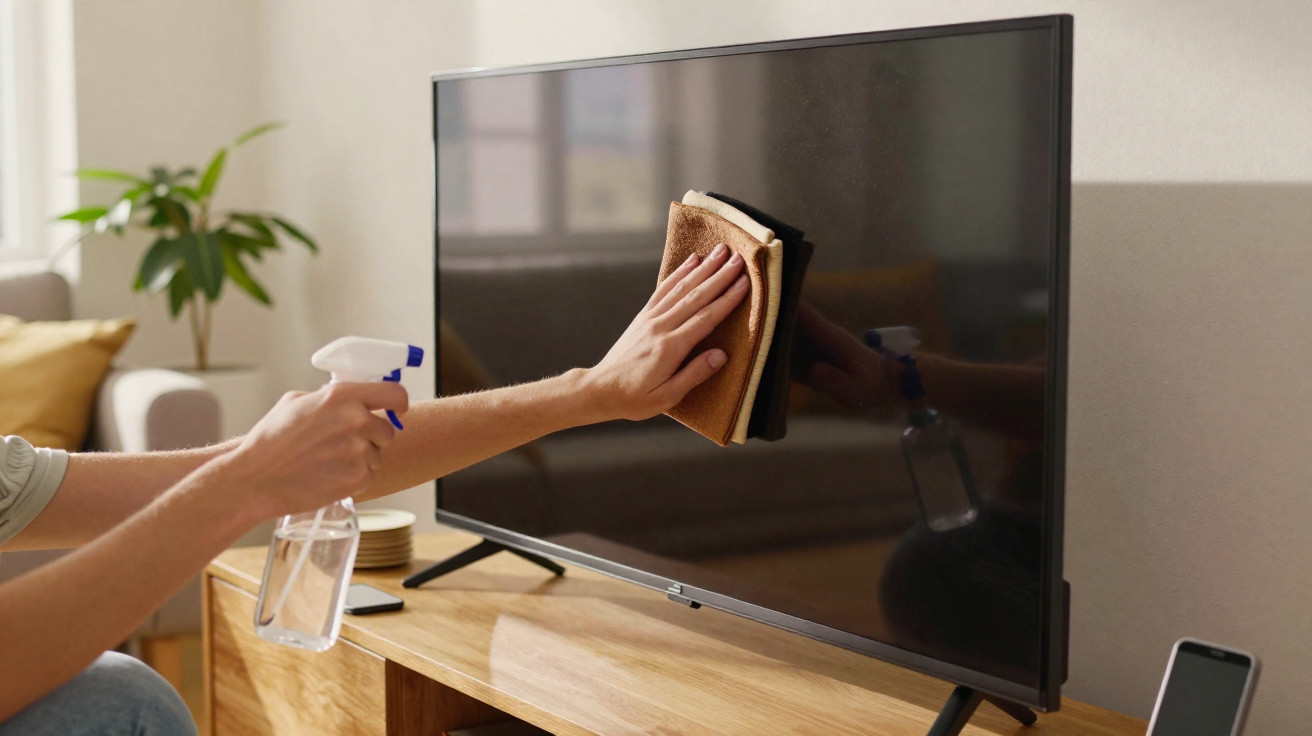
Television, laptop, monitor, tablet, smartphone – almost every surface at home now lights up. Yet they all share the same issue: they seem to attract dust and fingerprint marks. Many people reach for glass cleaner, kitchen roll or costly specialist wipes. In doing so, they may cause more harm to their devices than good. A tiny, unremarkable kitchen item, however, can solve the problem safely – for only a few pence.
Why displays become smeared so quickly
Leave a screen untouched for a few days and a grey film can suddenly appear across it. There is a physical explanation: the surface develops a static charge, effectively turning it into a dust magnet. Large amounts of fine particles settle on screens, especially in dry indoor air during winter.
Then there are the unavoidable fingerprints. Every touch leaves behind a blend of skin oil and tiny traces of dirt. On touchscreens in particular, which are handled constantly, a stubborn greasy layer gradually forms. It combines with dust and covers the image with a milky-looking haze.
Many users instinctively use glass cleaner, kitchen roll or damp multipurpose wipes. That is precisely where the risk lies. Kitchen paper can leave microscopic scratches, while glass cleaner often contains alcohol or ammonia, which may attack the delicate coatings on modern LCD, LED and OLED panels.
Manufacturers explicitly warn against aggressive household cleaners in their manuals – even a few uses can permanently ruin the anti-glare surface.
The simple answer: a filter from the coffee cupboard
The unexpected alternative is sitting beside the coffee machine in many homes: the paper coffee filter. More specifically, an unbleached paper coffee filter of the kind found in millions of German kitchens. This ordinary disposable item is well suited to cleaning displays gently.
Why coffee filters are kinder to displays than kitchen roll
The difference lies in their construction. Coffee filters are made from very fine fibres and have a comparatively smooth, even surface. They contain no hard wood fragments or coarse particles that could act like abrasive paper.
- Very soft, fine fibre structure
- Hardly any lint compared with kitchen roll
- Highly absorbent for dust and fingerprint grease
- Largely chemically neutral, with no aggressive additives
- Virtually no static charge created while wiping
Kitchen paper often sheds fibres and merely smears dirt around, whereas a coffee filter absorbs dust and grease much more effectively. At the same time, the display's protective coating remains untouched because no harsh cleaning products are involved.
A tiny price shock
The cost is where this becomes particularly interesting. A paper filter costs, on average, less than two cents. Even if you use a fresh filter for the television, monitor, notebook, tablet and smartphone, the annual total will usually remain below one euro.
Compared with specialist wipes and display sprays, users can quickly save a double-digit amount – without losing convenience or quality.
For comparison, damp disposable screen wipes commonly cost between 10 and 30 cents each, while screen sprays often cost eight to fifteen euros per bottle. Put another way, the supply in the kitchen cupboard easily outperforms the glossy products in the electronics aisle.
How to clean a TV, monitor and smartphone with a coffee filter
To ensure this trick does not backfire, correct use matters. The good news is that the process is quick to learn and often takes less than a minute per device.
Step-by-step guide
- Switch the device off and allow it to cool; unplug it if necessary.
- Wash your hands and remove rings, bracelets or a watch.
- Take a dry, clean paper coffee filter straight from the packet.
- Fold the filter to create a firm, smooth wiping surface.
- Move it across the display in circular motions, using only very light pressure.
- Work from top to bottom so that dust is not redistributed upwards.
- Dispose of the filter afterwards; do not reuse it on heavily soiled surfaces.
For a light layer of dust, the dry filter is entirely sufficient. For heavier grease marks, such as those on a frequently used touchscreen, prepare the surface first: lightly dampen one corner of a microfibre cloth with distilled water, dab the affected area carefully, then wipe over it with the dry coffee filter. Tap water is less suitable because it can leave limescale and mineral residue, especially on sensitive displays.
Common mistakes that ruin displays
Many instances of screen damage are caused not by drops, but by well-intentioned cleaning. Avoiding the following pitfalls can significantly extend the life of your devices.
- Do not use glass cleaner or multipurpose spray on the display.
- Never spray liquid directly onto the screen.
- Avoid kitchen roll, paper tissues and rough fabrics.
- Do not press hard or scrub; even stubborn marks should be removed gently.
- Do not apply alcohol-based disinfectants to the surface.
Many micro-scratches are barely noticeable at first – but before long they permanently affect contrast and sharpness.
Undiluted cleaners containing alcohol or ammonia are especially dangerous: they can damage the anti-glare or oil-repellent coating fitted to almost every modern television or monitor. Once this coating has been harmed, the image can quickly look patchy and reflections become far more noticeable.
How often should displays be cleaned?
For everyday use, wiping many devices with a dry filter once a week is enough. Anyone who works from home extensively, or has children regularly touching the tablet and television, will need to do it every few days instead.
A few rules of thumb can help you judge the right schedule:
- Living-room TV: dust lightly every one to two weeks.
- Home-office monitor: every three to seven days, depending on use.
- Smartphone: preferably more often because it is touched constantly – use a microfibre cloth plus a filter here.
- Children's bedroom tablet: wipe it more regularly, as fingerprints build up extremely quickly.
Why budget devices especially benefit from this method
Manufacturers often save on coating durability in entry-level devices. These displays are even more sensitive to unsuitable cleaning products. A simple paper filter helps to avoid scratches and protects the thin protective layers. Looking after an inexpensive device means it does not need replacing as quickly – which benefits both your budget and resources.
Almost every modern panel has a technically complex layered structure: a support layer, polarising film, colour filter, backlight, sealing layers and often several specialist coatings to combat glare and fingerprints. Each of these layers is only fractions of a millimetre thick. Mechanical pressure or harsh chemicals can destroy them surprisingly quickly.
Further tips for clean, long-lasting displays
Anyone wanting to keep their displays in good condition over the long term can adjust a few habits. Even minor changes can make a difference.
- Do not place devices directly beside radiators or open windows.
- Keep some distance from uncovered displays when sneezing, coughing or cooking.
- Briefly show children and guests that a screen should not be wiped with the flat of the hand.
- When setting up new devices, actually read the care instructions in the manual.
Screen protectors can also help, particularly on tablets and smartphones. They can be cleaned much more robustly than the panel itself. Even so, it remains worthwhile to handle them gently with soft cloths and the coffee filter method.
Once you get used to using a simple coffee filter on expensive electronics, you will generally notice quite quickly that it not only works surprisingly well, but also involves less effort than lint-shedding wipes. Throwing the filter away after every cleaning session also means old grease and dirt are not transferred to the next screen – a small everyday convenience that makes a positive difference.

Comments
No comments yet. Be the first to comment!
Leave a Comment